Service Providers / Suppliers
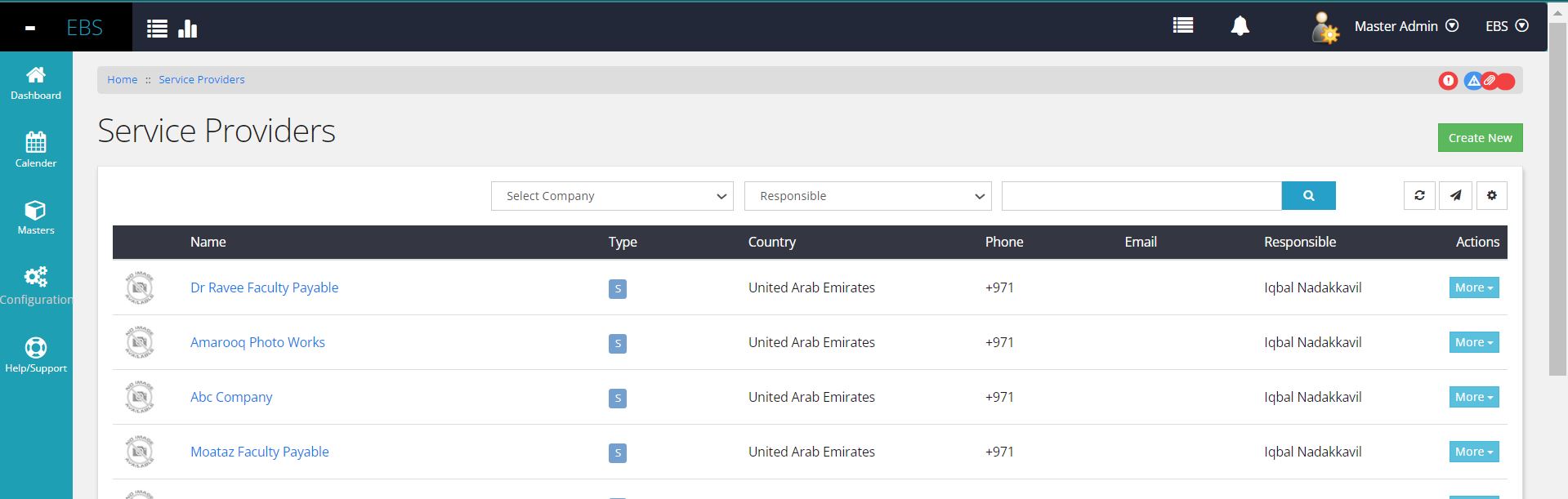
In the 'General' menu, selecting 'Service Providers' allows access to
the Service Providers Listing page. This page contains essential
information about sales service providers, including their names,
provider types, categorized segments (if any), country, phone numbers,
email addresses, and the responsible person associated with each
provider.The page offers basic filtering options allowing users to refine the list based on keywords, responsible persons, or any specified categories.
The 'More' dropdown button provides options to reactivate a provider and view detailed information. Clicking 'Details' leads users to the specific Service Provider Detail page for a comprehensive view.
Users can export this list to Excel using the dedicated export button.
New Supplier Registrartion
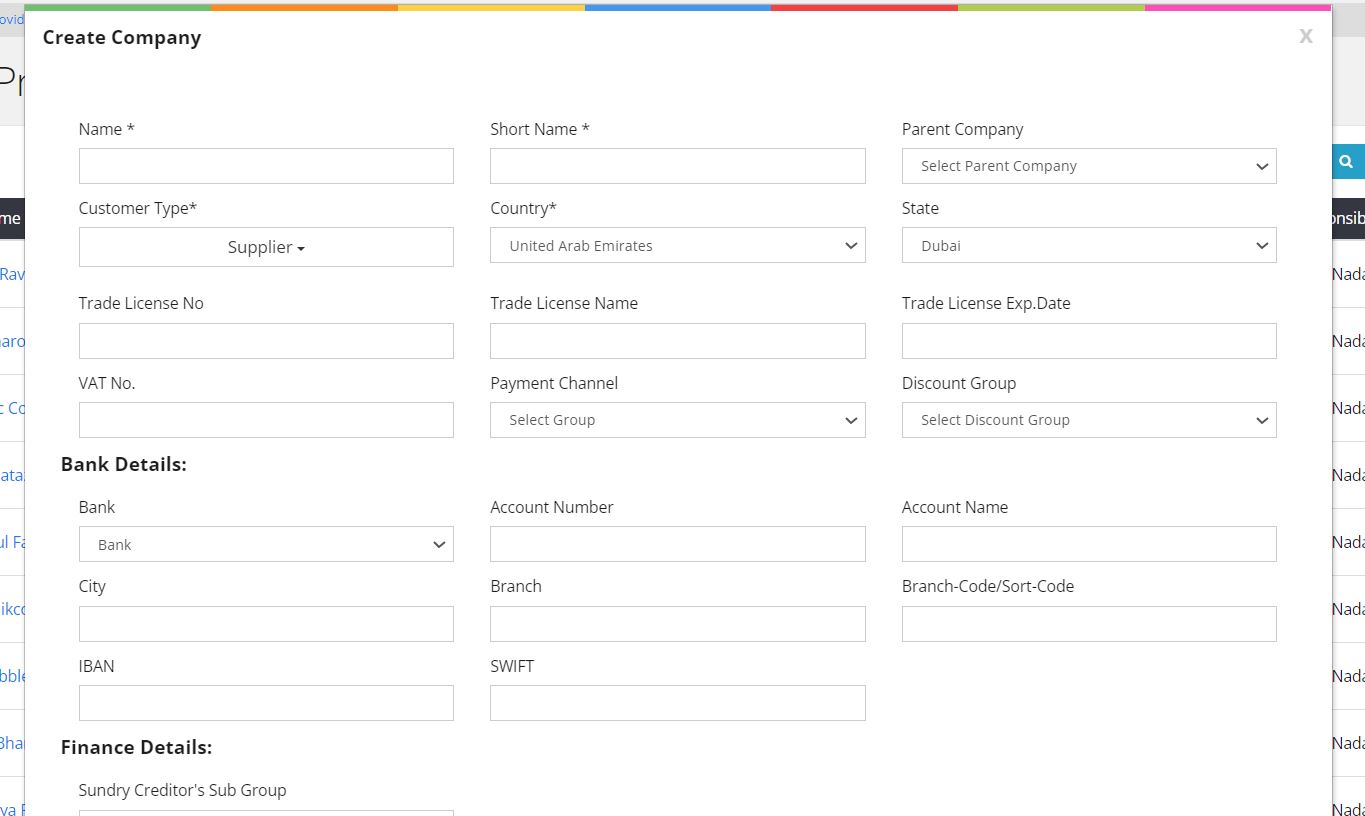
At the top right corner, there's a 'Create New Service Provider' button. Clicking this button triggers a popup window where users can input necessary basic information to create a new service provider.
When creating or editing Service Providers, users have the option to select the appropriate grouping. By default, these Service Providers are reflected under 'Sundry Creditors' or 'Accounts Payable' within the Finance Chart of Accounts.
During the creation or editing process, users can specify the grouping or categorization that best aligns with the Service Provider's nature or function. This selection ensures that the Service Provider is appropriately grouped within the Finance Chart of Accounts for accurate accounting and financial reporting purposes.
Service Provider Detail Page
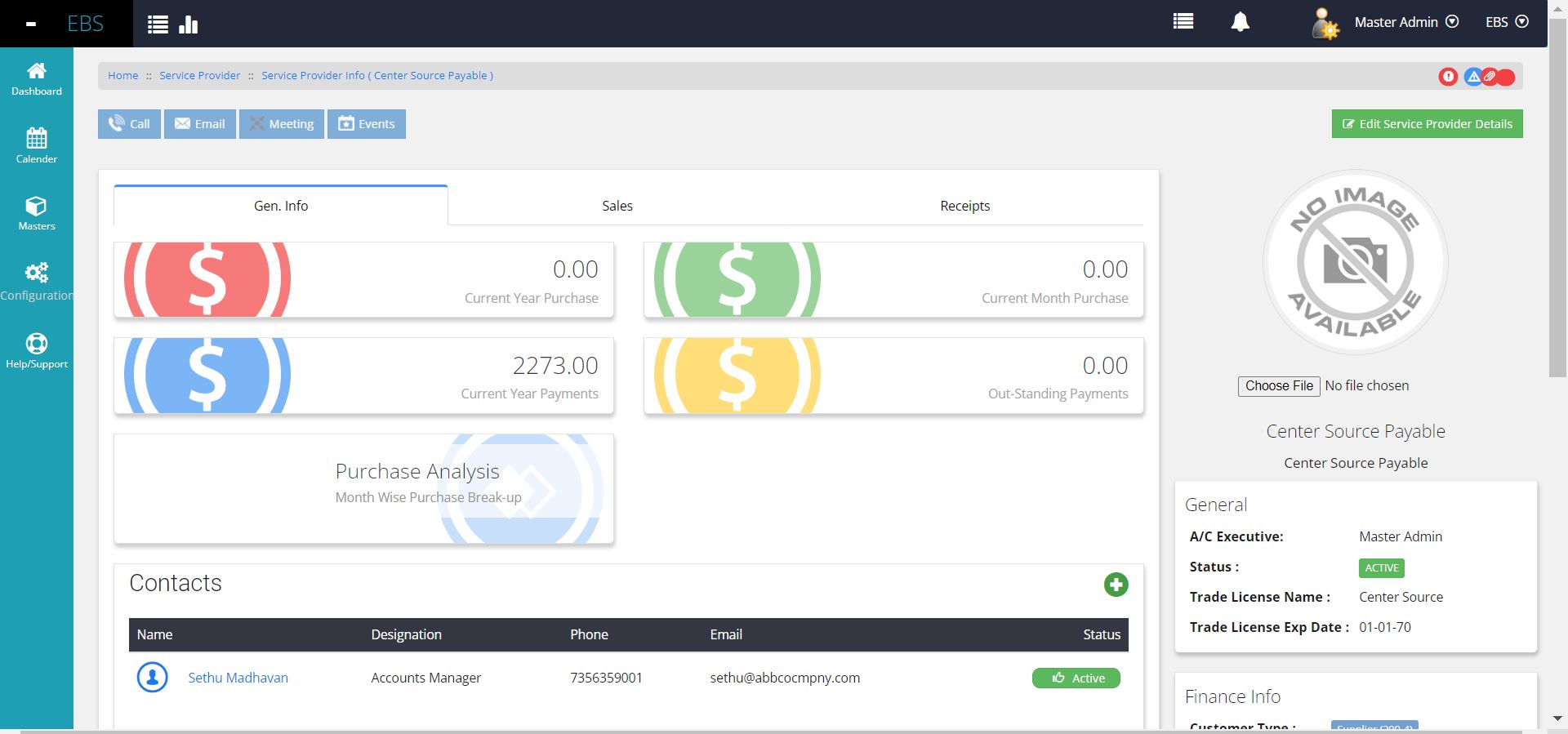
The Service Providers' Details page comprises three primary sections: General Information, Purchases /Expense Invoice and Payments. By default, the landing page focuses on General Information, displaying key insights such as Current year and Current Month transactions, Payments, Outstanding balances, and a visual representation of yearly purchase breakup across earlier months.
On the right panel, essential supplier details including the responsible person, trade license information, Doc Expiration dates, financial summaries, and contact details are displayed.
Additionally, this page lists key contact persons basic details associated with the service provider, also allowing users to create new contacts seamlessly.
Users have the provision to upload various documents related to the service provider, including agreements, tax registrations, or other necessary documents. Multiple documents can be attached for comprehensive record-keeping.
Other tabs like Expense Invoices / Purchases, and Payments offer key information about transactions. Users can navigate to specific documents by clicking on the document code provided.
The tab Payments section compiles all payment transactions made to the supplier, providing clickable document codes for direct access to the respective documents.