Sales Invoices / Student bills
In the context of education institutions, sales invoices often
refer to the billing documents raised for services rendered or products
provided. Here's a refined description:In education institutions, sales invoices represent the billing documentation generated for various services offered, such as tuition fees, study materials, or additional educational services. These invoices detail the charges accrued by students or their guardians for the educational facilities or services utilized. They serve as formal records of financial transactions, indicating the fees charged, any applicable taxes, due dates, payment methods, and terms of payment. Additionally, these invoices may include specific details about the student, course or program enrolled, and any associated fees or additional charges.
In the ERP system, accessing these modules can be done via the Transaction menu, specifically under the Sales section, typically referred to as 'Sales Invoices.' However, in the context of the education industry, this module might be more aptly termed as 'Student Fee Bills.'
Sales Invoices are generated through three primary processes :
- Import or Sync Process from LMS
: A significant portion of Sales Invoices is created during the import
or synchronization process from the Learning Management System (LMS).
For each payment transaction imported, the ERP application
automatically generates a corresponding Sales Invoice using the
provided information.
- Month-End Process :
During month-end procedures, the ERP system generates Sales Invoices
against each student, based on their agreed installment plan or defined
revenue. These Sales Invoices are not linked to specific payments
initially, allowing subsequent payment allocation for accurate aging
reports.
- Manual Entry :
Manual entry of Sales Invoices is available for specific critical
requirements. However, this method, involving students listed as
customers, is not typically recommended due to potential integrity
issues with the LMS module.
Sales Invoice Listing Page
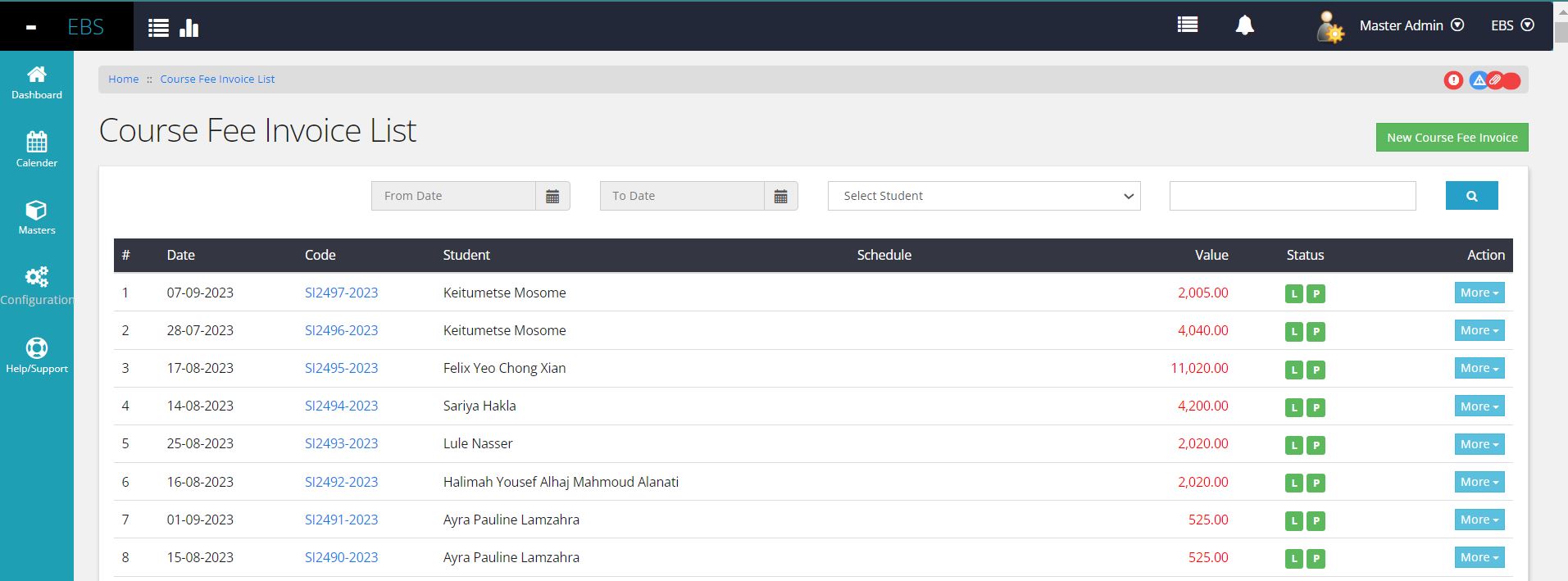
The Sales Invoice module offers basic filters to refine data listings for thorough analysis. Key information is displayed on the data grid, including document status, aiding in swift analysis.
Invoice Detail View
The 'More' action menu provides various options such as navigating to the document view, printing, and posting of documents. Additionally, clicking on the Document code leads directly to the Sales Invoice view page, enabling quick access to detailed information.
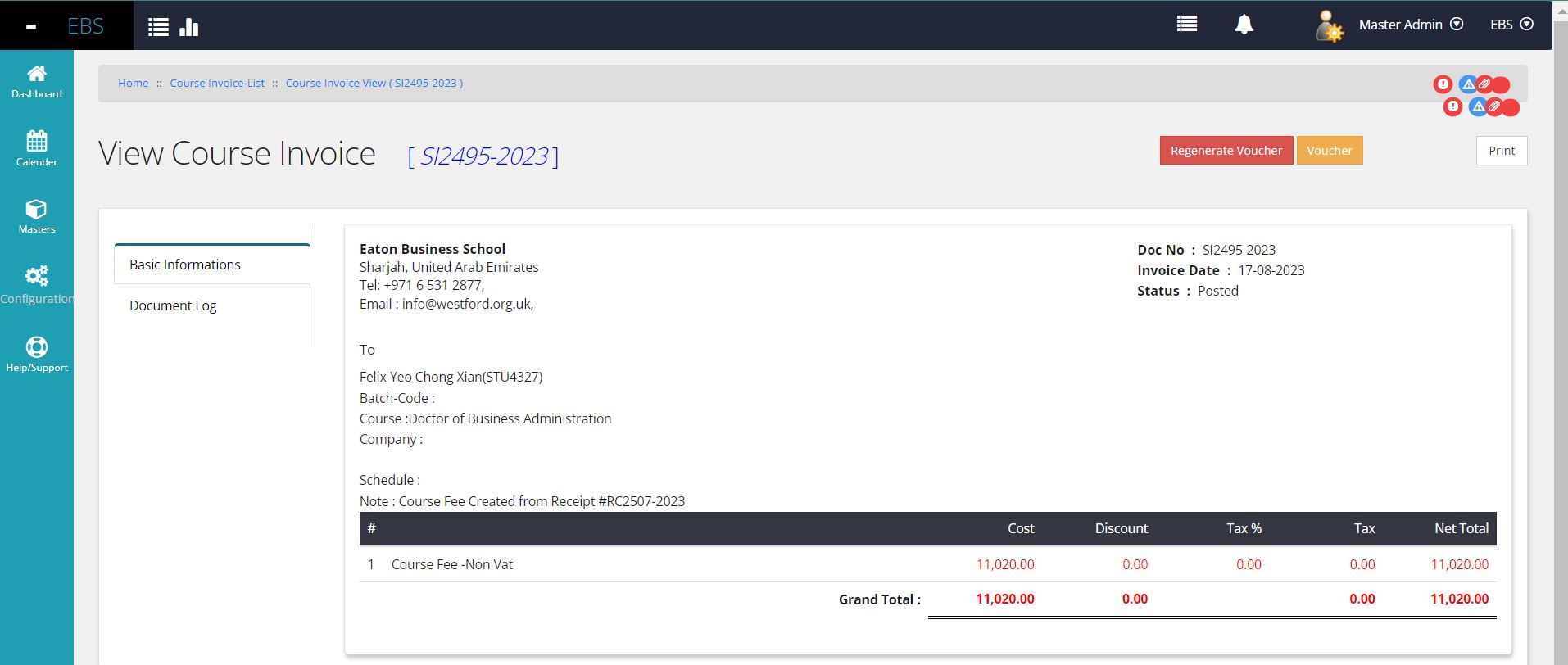
The Sales Invoice View consolidates essential booked information, comprising the Document Date, Code, Document Status, complete physical address of the customer, and receipt details associated with the sales transaction, especially when generated via the LMS import process. Additionally, it encompasses transaction details such as the effecting ledgers, Cost of Goods, Taxes, Discounts, Net Value, and more.
Financial Voucher View
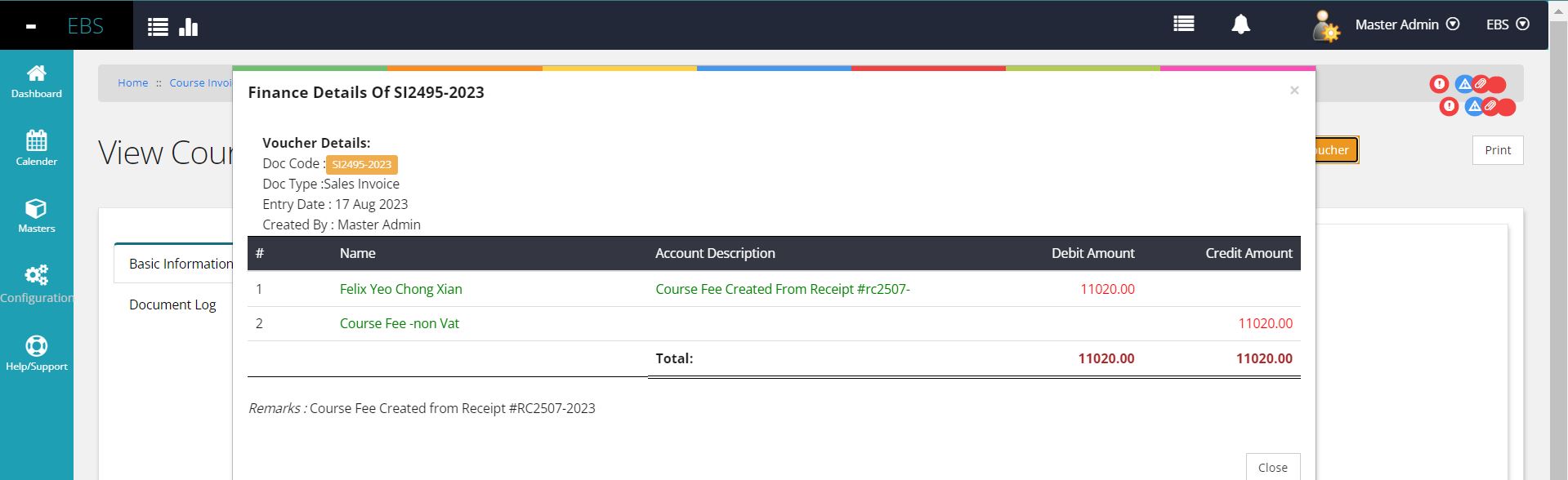
Moreover, situated on the top right corner, a button is provided to access the 'Financial Effecting Entry' (refer to the provided images), facilitating accounting executives in comprehending the financial implications of this entry. This feature enables a clear understanding of how the entry reflects in the financial books and its impact on associated ledgers with precise values.
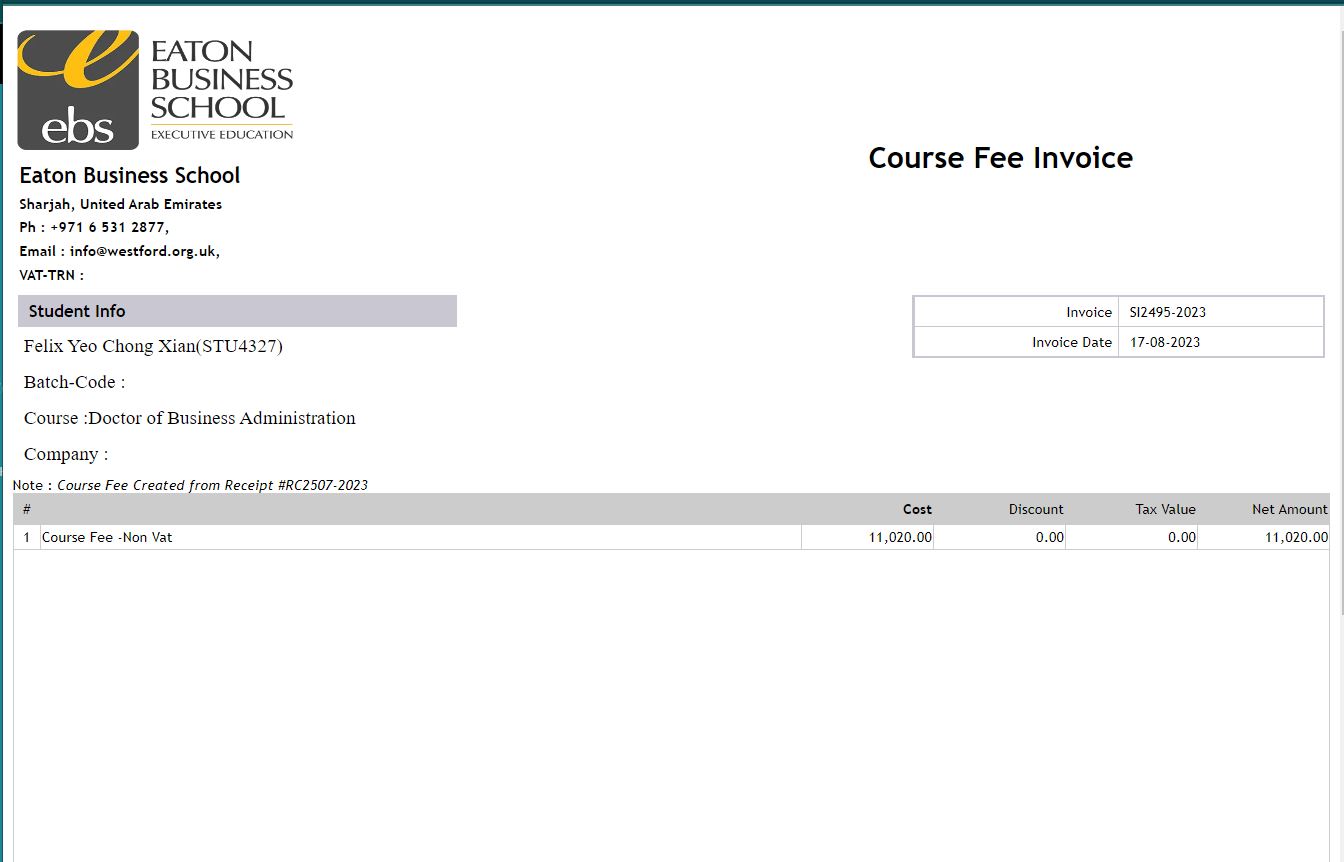
Invoice Print View
At the top of the Invoice View page, a 'Print' option is available, offering the choice to print the document either as a PDF or directly to a physical printer. This functionality allows users the flexibility to generate a hard copy or digital version of the invoice for their records or distribution purposes.
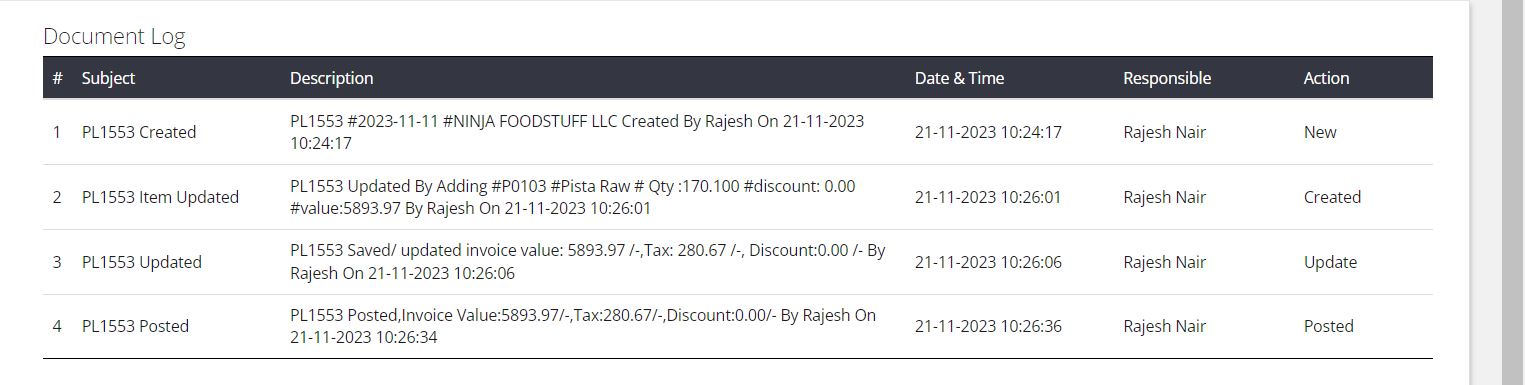
Document Log
The left tab of the document includes an option to view the 'Document Logs' associated with this particular document. This log displays supporting details such as Date & Time, User, and specific Actions (e.g., Save, Post, etc.) undertaken concerning this transaction. This feature offers a comprehensive audit trail, providing a transparent record of all actions performed on the document.