Importing of Transactions & Masters from LMS
This module serves as a comprehensive summary of all
synchronization or import processes from the Learning Management System
(LMS).This section manages the importation of various data, including finance transactions, student information, course masters, and other relevant data from the LMS.
For each section, detailed information is provided, including transaction type, import date, user responsible for the import process, remarks recorded during the import, import status, synchronization time, and other pertinent details.
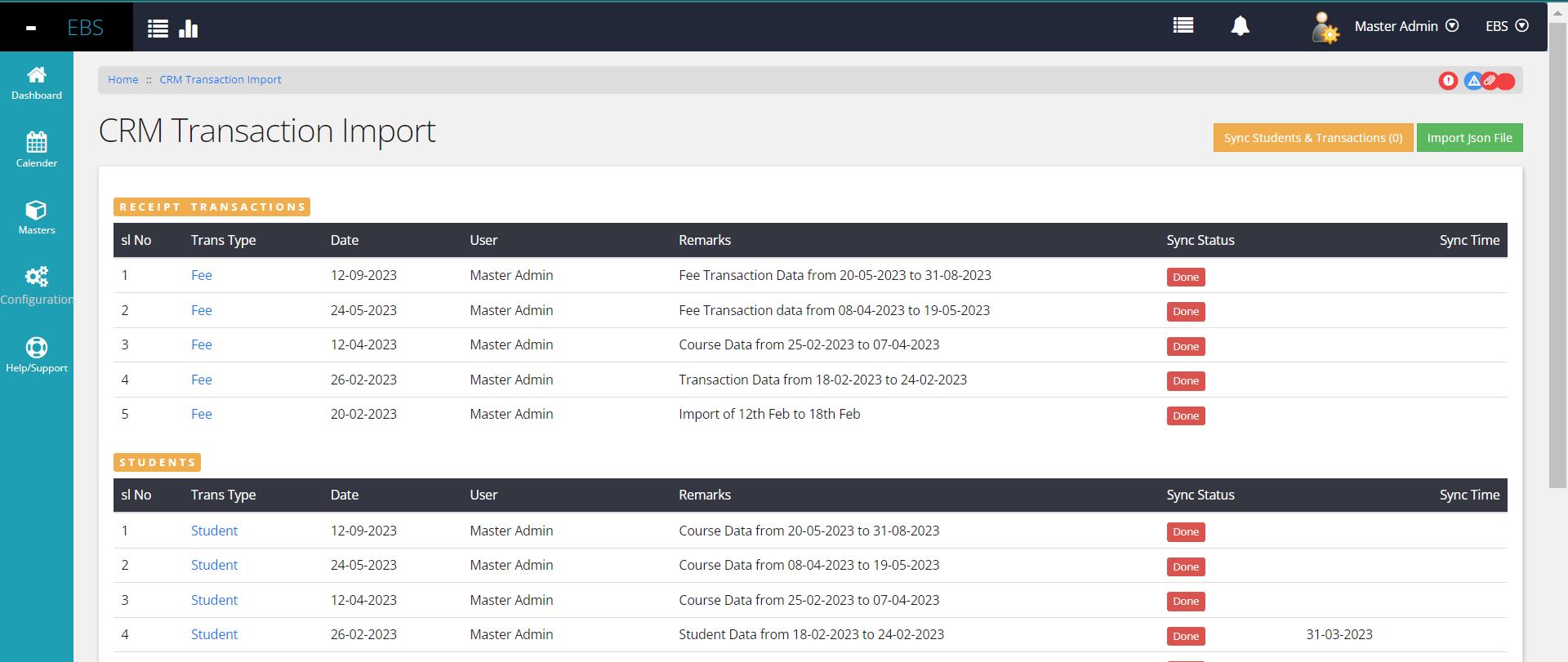
This page displays the five most recent import transaction records, aiming to provide users with a clear overview. Each entry in the grid includes essential details such as data type, import date, user responsible for the import, any remarks recorded during import, synchronization status (indicating whether imported data is fully synced with the ERP application), and the synchronization timestamp.
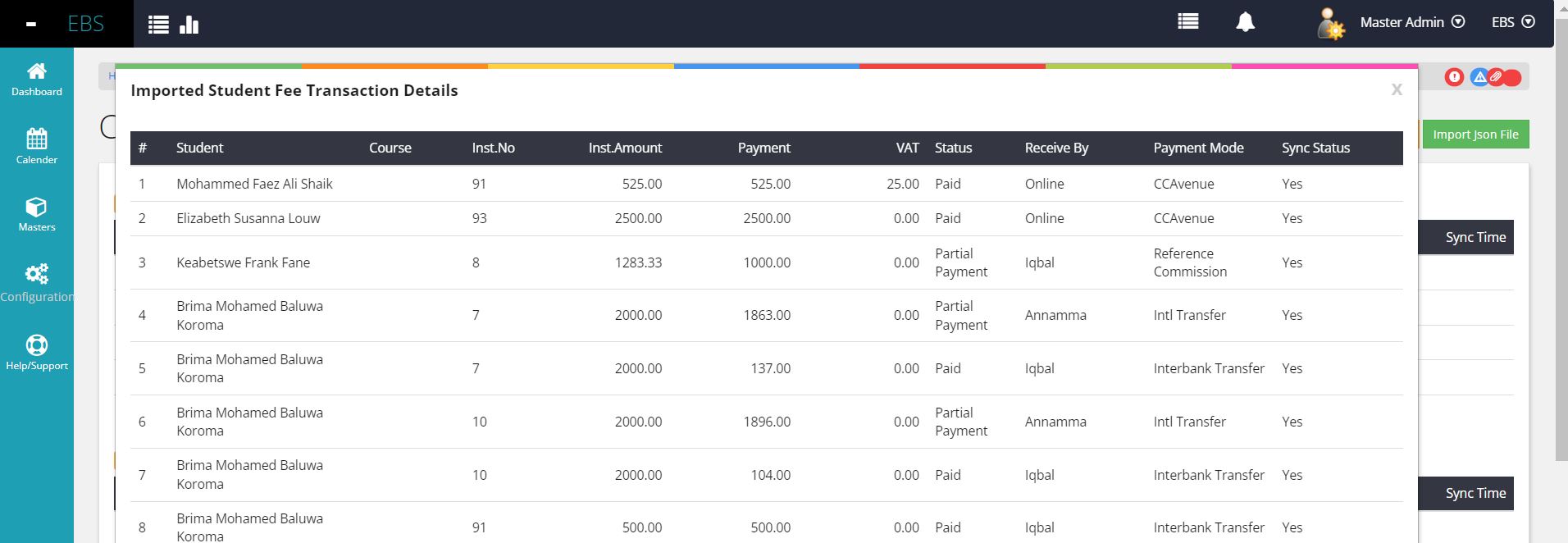
For deeper insights, users can navigate to specific details by clicking the hyperlink associated with each entry. This detailed view allows verification of the imported data from the Learning Management System (LMS) through JSON format, ensuring transparency and accuracy in the import process.
Importing of JSON Files manually
On the top right of the Import Listing page
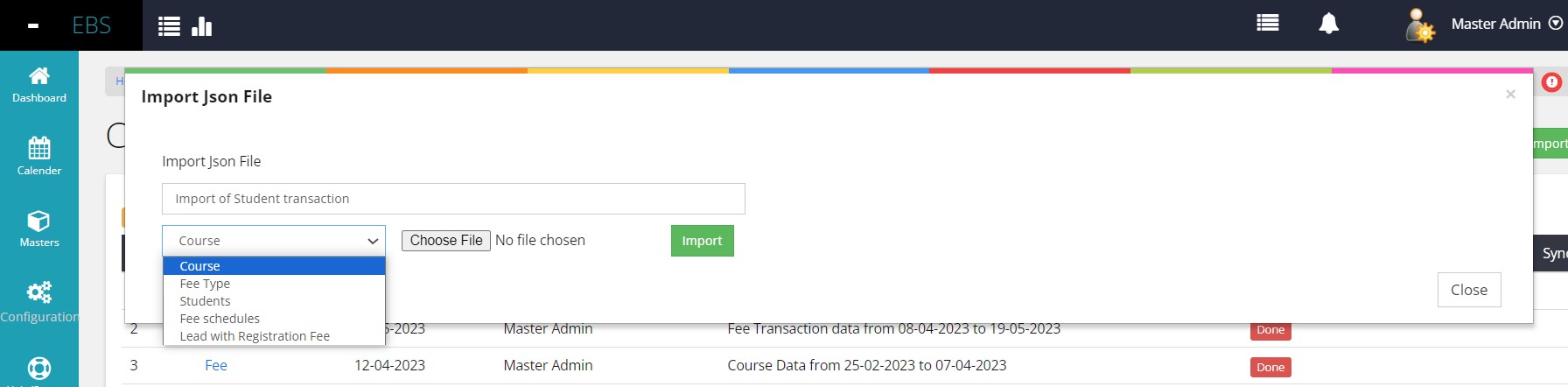
This interface serves as a unified platform to import four distinct sets of JSON data received from the Learning Management System (LMS): Courses, Fee Types, Students, Fee Schedules, and Leads with Registration Fee. Details
- Course JSON : Contains essential master information about courses or modules from the LMS.
- Fee Type JSON : Provides details about the various types of fees collected within the LMS system.
- Students JSON :
Encompasses comprehensive information about students, including their
contact details, course-related specifics, agreed course fees, unique
student identifiers, and scheduled payment installments.
- Fee Schedule JSON :
Represents transactions made by students within a specified date range.
This dataset includes payment details such as amounts, payment dates,
payment modes, and bank transaction references.
- Leads with Registration Fee JSON
: Lists leads who have paid the registration fee but haven't yet
enrolled as students due to various reasons. Typically, enrollment
occurs within a week or two after the necessary document verification
and submission process by the student.
How to Extract JSON from LMS
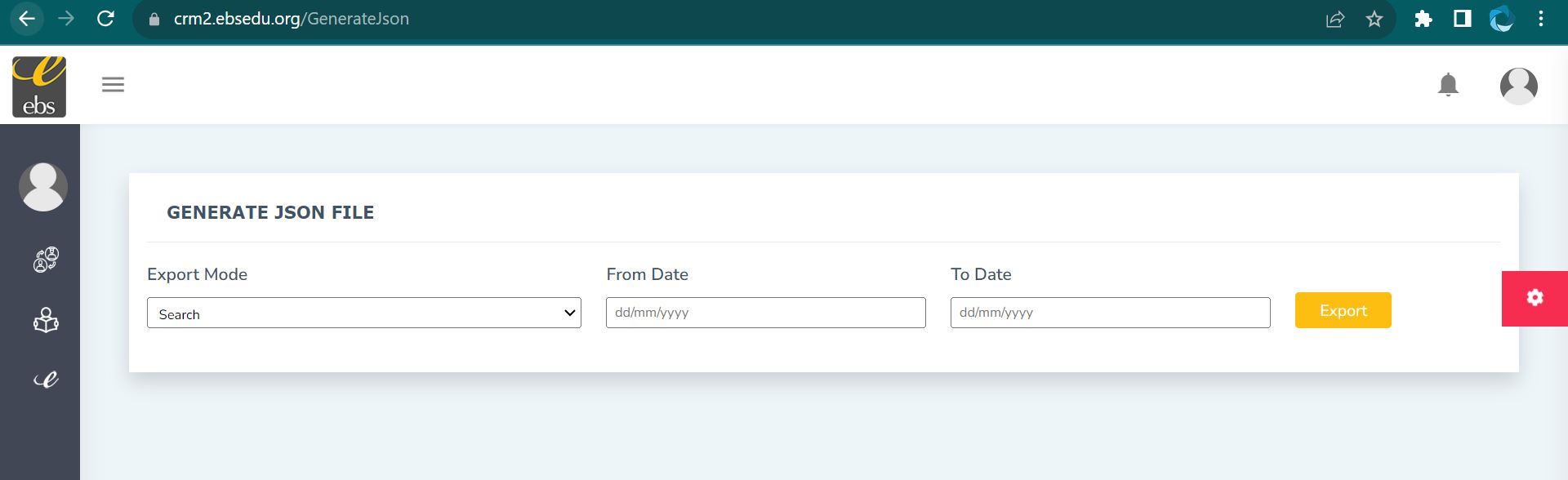
Each Business CRM application incorporates a dedicated module designed to generate appropriate JSON files based on the specific requirements of the ERP application. The Learning Management System (LMS) extracts data files tailored for selected dates, ensuring precision in the information provided.
These JSON files are seamlessly imported directly into the ERP system, streamlining the integration process and facilitating accurate data transfer as detailed earlier.
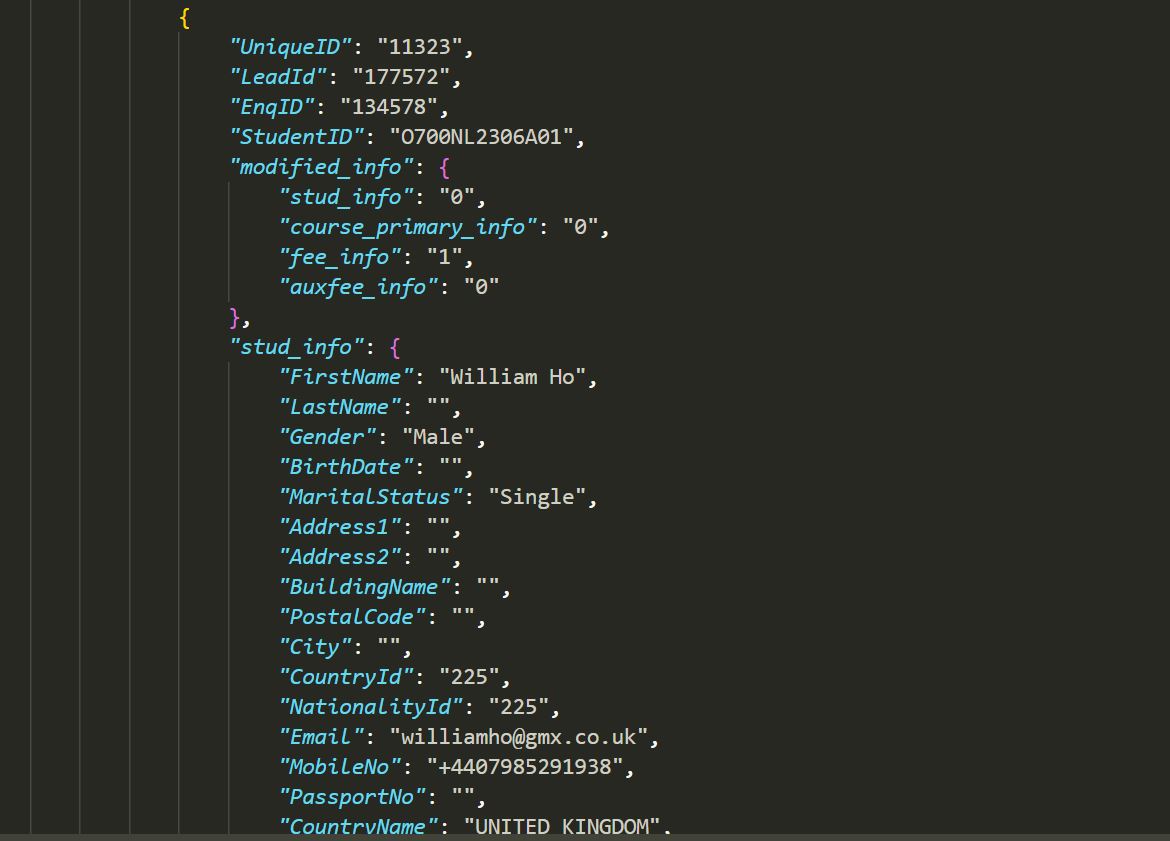
Below are the same exmples of JSON strecture.